01
Mute from anywhere, mid‑call
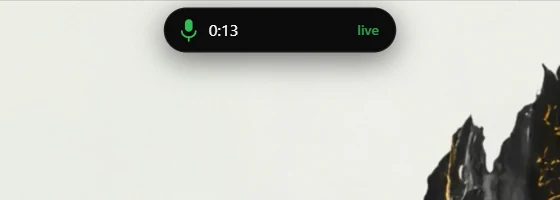
The moment something opens your microphone the island starts a timer. Click the mic or hit the hotkey to mute, from inside a meeting, a game or any other window.
Windows 11 and 10 · 7-day free trial · $9.99 once
Play. Meet. Move stuff.
A control strip for your PC that lives in a notch. FPS and OBS in your games, mute and a meeting clock on your calls, a shelf that sends files to your phone on the same Wi-Fi. It opens when you rest your cursor on it and gets out of the way when you work.

NotchPixel runs on Windows PCs. Send it to your PC:
Email it to me Open the Store page anyway NotchPixel for my PC Open this on your Windows PC: Link copied. Select the link above and copy it.Try it free for 7 days, then $9.99 once. No subscription, no account. In the Microsoft Store now.
Installed and updated by the Microsoft Store, so Windows shows no SmartScreen warning. Publisher: KORE INDUSTRIES.
No ads, no nagsNo accountRecordings stay on your PC
CPU when idle
NotchPixel hands its surface to DirectComposition, the path Windows uses for its own animations, and goes to sleep when nothing moves. About 13 MB in Task Manager and 0% CPU at idle (version 0.5.64, 3 Oct 2026), measured on an Intel Core i5-11400H laptop.
What it does
The idea comes from the iPhone, where Apple calls it the Dynamic Island. On a PC, looking like a notch is the easy part; plenty of apps do (see the guide). NotchPixel runs its own window engine, so it goes inside your game, onto your calls, across to your phone on the same Wi-Fi and into your renders.
Compare
Because it is a notch, and this is a tool that wears one. If all you want is the look, a free or $1.99 one will do; we mean that. If you play, take calls or move files all day, the difference is the whole point.
| Notchify 5.3.2 | NotchPixel | |
|---|---|---|
| In a fullscreen game | No game overlay in its listing | A slim strip: FPS, CPU, GPU, RAM, clock. OBS record and stream from a hotkey. |
| How it draws | WPF plus WebView2, two monitor-sized windows kept on top of everything | Direct3D 12 into DirectComposition, the path Windows uses for its own animations, in a window the size of the pill. |
| Notifications | Tells Windows a full-screen app is running the whole time it is open, the state apps consult before showing a notification | Windows sees an ordinary small window; your notifications keep coming, and the island mirrors them |
| Files | A file tray. Its listing describes no way to send files to a phone. | Drop on, drag out into any app. Share sheet. Send to your phone on the same Wi-Fi, and receive from it. |
| Price | $1.99 | $9.99 once, 7-day free trial. No subscription, no account. |
Notchify column: version 5.3.2 from the Microsoft Store, installed on our PC to see how it draws, with its full-screen state read through SHQueryUserNotificationState; features and price from its Store listing, read on 3 Oct 2026. Apps change; check the listing you are looking at. More apps, free and paid: the guide.
Ten moments
Everything below was taken from the app running on a laptop, the wallpaper included.
01
The moment something opens your microphone the island starts a timer. Click the mic or hit the hotkey to mute, from inside a meeting, a game or any other window.
02
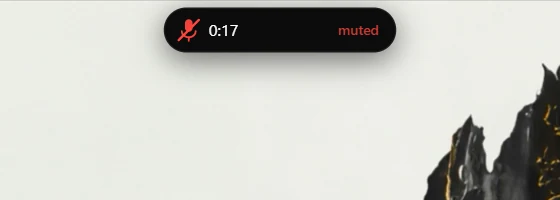
The pill turns red and says so. It follows the capture device's own mute, so it agrees with Windows and with everything else on your PC.
03
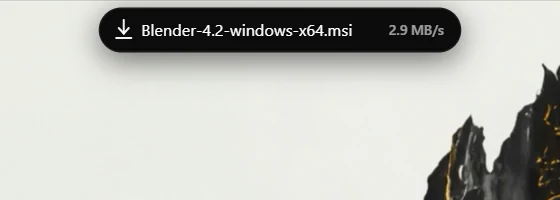
File name and speed while it arrives, and a tick when it is done. Every browser, no extension.
04
Microphone, camera or screen share. The indicator Windows hides in the tray, where you will actually see it.
05
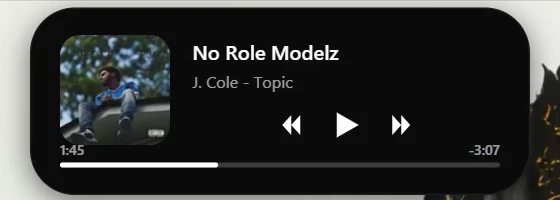
Any app or site that reports media to Windows. Spotify, YouTube, Apple Music, YouTube Music, VLC.
06
Play, skip and scrub. The album art slides between layouts instead of fading, on a spring tuned to 0.42 s.
07
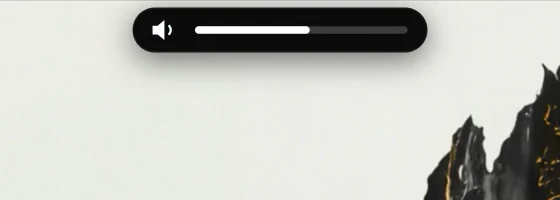
Replaces the grey box in the corner. Brightness keys too.
08
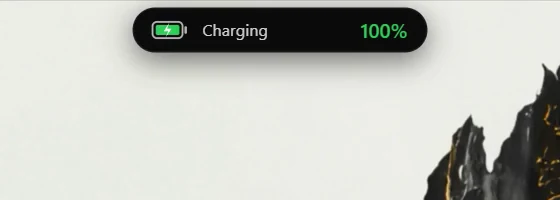
Charging, unplugged, low battery and critical, without a click.
09
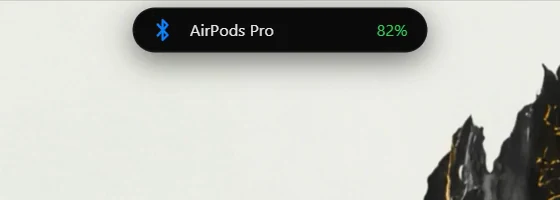
Bluetooth connects and disconnects, with the level when the device reports one.
10
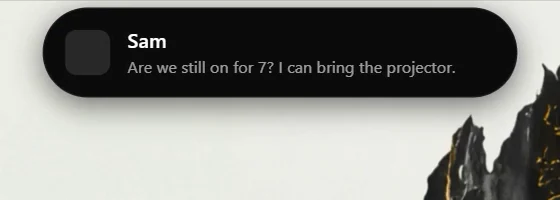
New messages show in the island. Click one to open the app.

Out of the way. On purpose.
The card
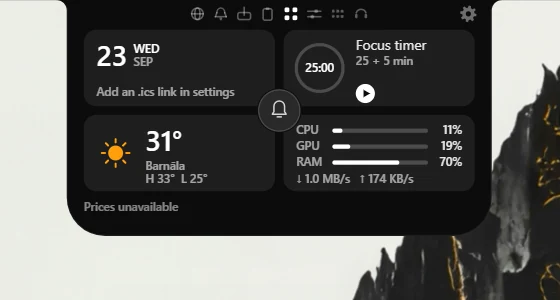
Scroll the open card and it turns into a shelf, a phone link, a clipboard, a wall of widgets, quick controls, a launcher, your scripts' tiles or a call tab. A gear on every tab opens settings. All of it is in the one license.
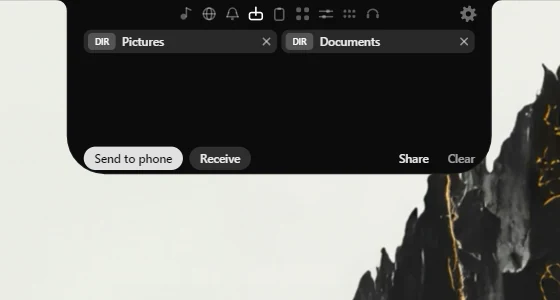
Drop files on the island to park them, drag them out into any app. Share hands them to the Windows share sheet, which is where Nearby Share lives.
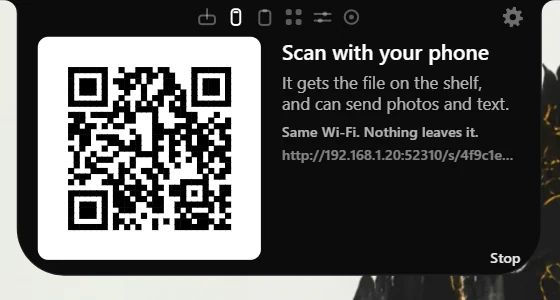
Open the Phone tab, scan the code. Your phone gets the shelf's files and can send photos, files and text back, straight onto the shelf and the clipboard. Same Wi-Fi, no account, nothing leaves your network.
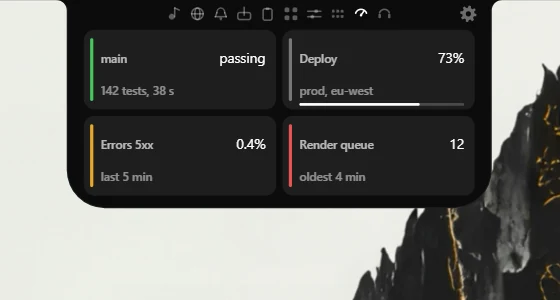
One line from any script, build or cron job puts a live tile in the card: NotchPixel.exe --tile ci main passing or a curl to the local endpoint. Colour, progress bar, auto-expiry.
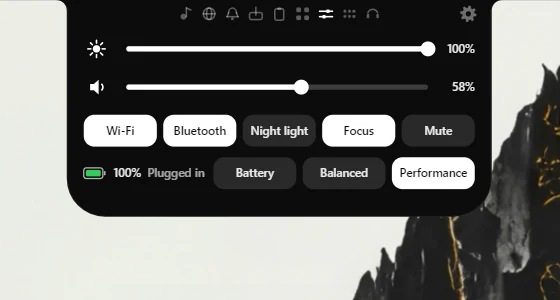
Brightness and volume sliders, and one-tap switches for Wi-Fi, Bluetooth, night light, focus assist and mute. The quick settings you actually use, without the Action Center.
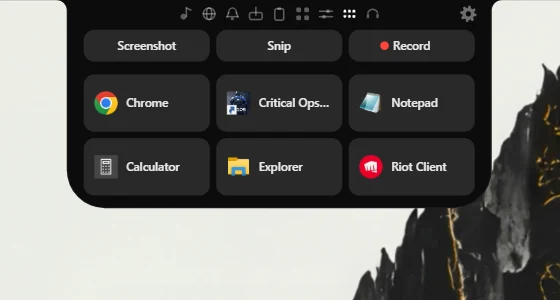
Screenshot every monitor, snip a region, or record the screen to MP4 with Windows' own encoder, all from the card or a hotkey. Six slots open the apps, folders and files you reach for. The island keeps itself out of the shot.
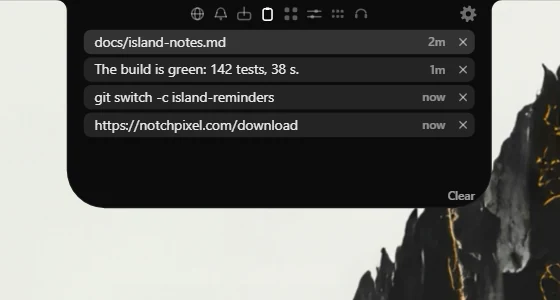
The last things you copied, one click to put one back. Password manager copies are skipped and nothing is written to disk.
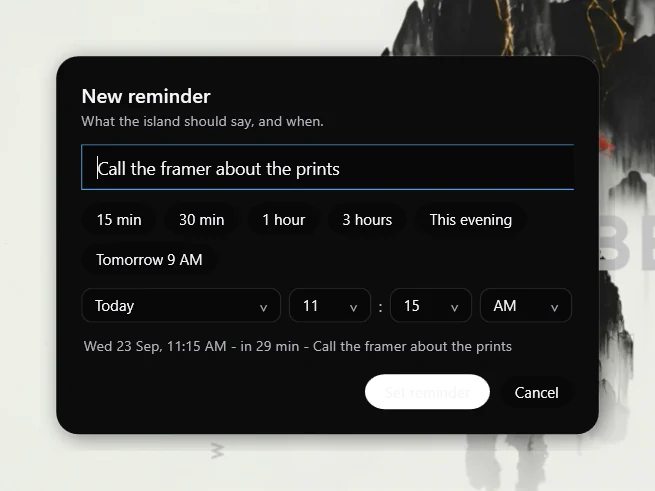
Type what it should say, pick the day and the time down to AM or PM, and forget it. When it comes due the island opens over whatever you are doing, says it, and rings until you have seen it. Full screen and do-not-disturb do not silence it.
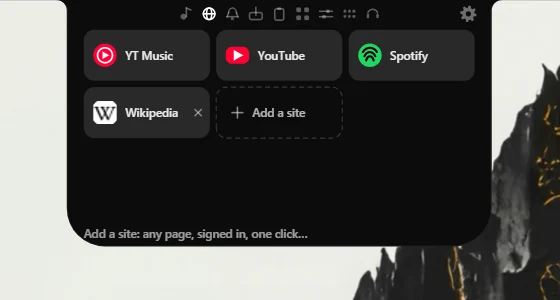
Pin any page to the card: YouTube Music, a dashboard, the docs you keep open. One click opens it in a drawer that stays signed in, remembers where you put it, and never lands in the taskbar.
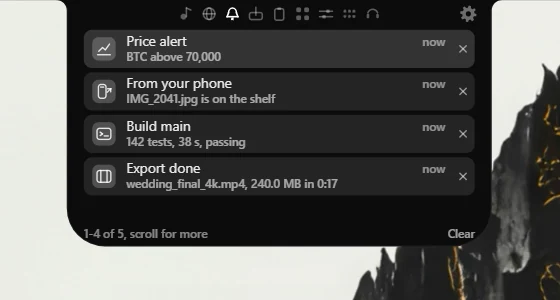
A HUD is gone in seconds. This tab keeps the last two dozen, newest first, each one clickable back to whatever raised it. Yours and Windows' both.
--notify put a line on the pill; --tile keeps a live tile in the card. Browsers are refused, so a web page can never spam it.Every side of it
Ten captures from the running app. Drag, scroll or swipe.
Idle CPU
0%
Sleeps on the DXGI latency handle when nothing is animating.
Memory
13MB
Private working set at idle, the number in Task Manager's Memory column.
Languages
21
The island, its card and settings are translated into each of them.
Spring
0.42s
Open response, damping 0.8, and it can be interrupted mid-motion.
CPU and memory measured at idle, version 0.5.64, 3 Oct 2026. How we measured
Pricing
No ads, no nags, no subscription. A 7-day free trial, then $9.99 once, no account, sold in the Microsoft Store: it installs on the PCs you sign in to with your Microsoft account.
If the look is all you want, a free app may be enough: Free notch apps vs NotchPixel.
NotchPixel, one time
$9.99ONCE · 7-DAY FREE TRIAL
NotchPixel runs on Windows PCs. Send it to your PC:
Email it to me Open the Store page anyway NotchPixel for my PC Open this on your Windows PC: Link copied. Select the link above and copy it.Installed and updated by the Microsoft Store, so Windows shows no SmartScreen warning. Publisher: KORE INDUSTRIES.
US price; the Store shows the price for your country.
Questions
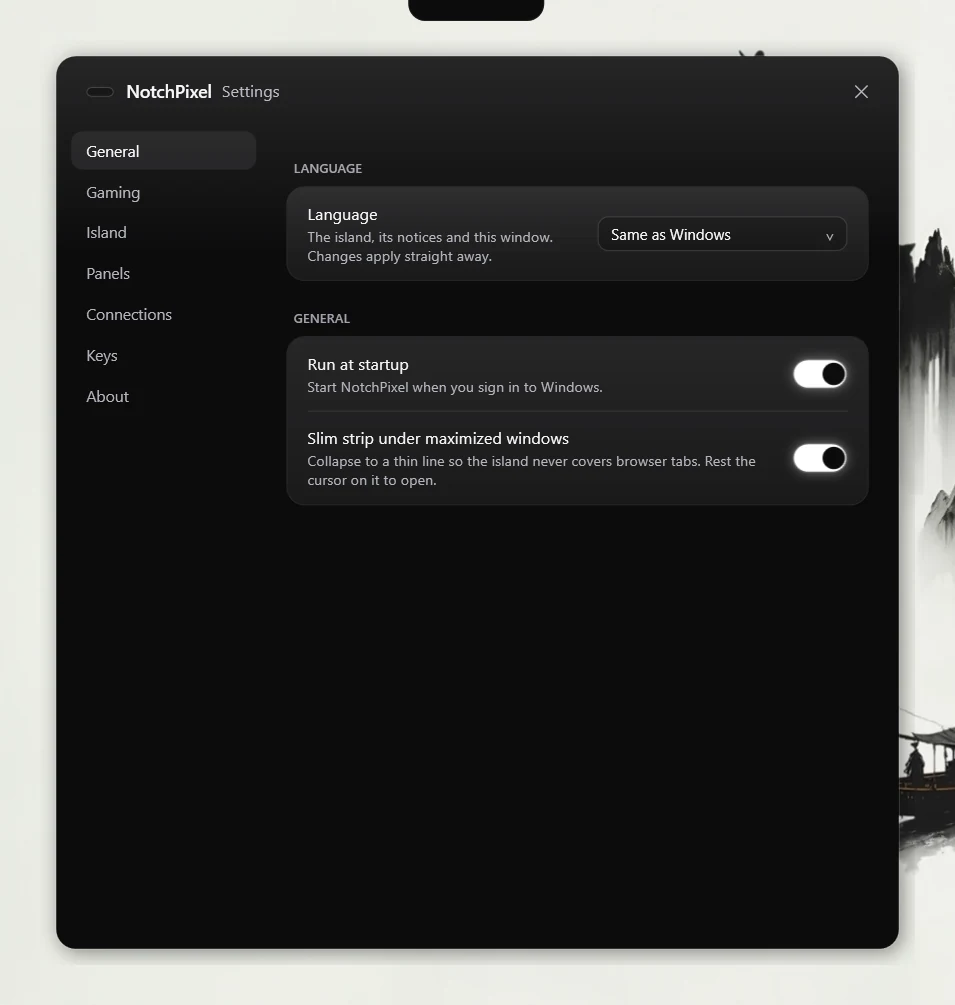
Yes. It runs on Windows 10 version 2004 (build 19041) and later, and on Windows 11, on 64-bit (x64) PCs. Any DPI, laptops and desktops, one or more monitors. The memory and CPU figures were measured on Windows 10 Home 22H2.
Yes. It does not need a notch in the screen: it draws its own pill at the top edge of any laptop or desktop monitor. Pick the island shape, or the notch shape, which curves into the top edge like a MacBook's.
In the Microsoft Store. It installs and updates like any Store app, and the Store handles the payment, the license and refunds. Your license follows your Microsoft account, so it installs on the PCs you sign in to.
A Mac version is in development; no date yet. NotchPixel started on Windows because Windows has no notch and no island; a Mac has the notch already and deserves the same tool hanging from it. The waitlist hears first when it is ready. Buying the Windows license does not buy the Mac one, and we will say plainly what it costs before you are asked for anything.
Anything that reports media to Windows: Spotify, YouTube and other sites in Chrome, Edge and Firefox, Apple Music, YouTube Music, foobar2000, VLC and more. If the Windows volume flyout shows your track, NotchPixel does.
Yes, and from anywhere: inside a meeting, a game, or any other window. NotchPixel sets the capture device's own mute, the same switch the Windows sound settings use, so every app agrees about whether you are muted. The pill turns red while you are, and the hotkey is yours to rebind.
All of them. It watches the microphone itself rather than any particular app, so Teams, Zoom, Meet, Discord, Slack and anything else that records are all the same to it. A brief gap while you start a screen share is treated as a hand-off, so the timer does not restart.
No. Chrome, Edge, Firefox and Opera all write a download to a temporary file and rename it when it finishes, so NotchPixel reads the progress straight from your Downloads folder. Nothing is installed in your browser. The temporary file does not carry a total size, so the island shows what has arrived and how fast rather than inventing a percentage.
No. In a fullscreen game the island hides itself completely. If you would rather see something, it can show a slim FPS, CPU, GPU and RAM strip instead, and you choose which of those it shows. The strip needs the game in borderless or windowed fullscreen: in exclusive fullscreen the game owns the screen and nothing can draw over it, so the first time that happens NotchPixel tells you, once you are out of the game. With OBS open, a hotkey starts and stops recording without leaving the game.
If the look is all you want, a free or $1.99 one will do; the guide compares them, and we mean that. NotchPixel is for people who play, take calls or move files all day: a slim FPS, CPU, GPU and RAM strip in fullscreen games, one key that mutes the mic in every app, files to your phone on the same Wi-Fi, and a pill that OBS and your scripts can talk to. That is what the $9.99 pays for.
Press Phone on the shelf and a code appears. Your phone scans it and opens a page served by NotchPixel itself, on the same Wi-Fi as your PC, at a random port with a random key in the address. The page lists the shelf's files to download and lets the phone send photos, files and text back; they land in Downloads\NotchPixel, on the shelf and on the clipboard. The page exists only while the code is showing, at most fifteen minutes, and nothing goes through any server. Windows asks once to allow NotchPixel on private networks.
Nothing goes to us. Weather, calendar, the prices strip, pinned sites and stream chat reach the network, and only when you set them up. OBS is a connection to OBS on your own PC; the script endpoint listens on localhost only; Send to phone works only on the same Wi-Fi and only while its code is on screen. Media, microphone state, downloads, battery, Bluetooth and notification information is read from Windows on your PC. See the privacy policy.
No. NotchPixel is an independent app and is not affiliated with, endorsed by or sponsored by Apple Inc. Dynamic Island is a trademark of Apple Inc.
See the dated comparison in the guide to notch apps for Windows. NotchPixel adds a slim FPS, CPU, GPU and RAM strip in fullscreen games, one key that mutes the mic in every app, files to your phone on the same Wi-Fi with a QR code, and a Twitch and YouTube chat drawer. It draws through DirectComposition and uses about 13 MB in Task Manager and 0% CPU at idle (version 0.5.64, 3 Oct 2026; how we measured).
On a Mac? A Mac version is in development; no date yet. Leave your email and hear first.